 |
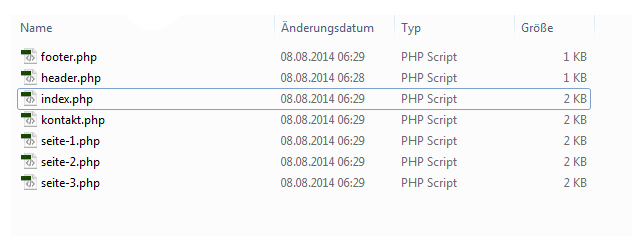
In Assignment 02 (INFO-2106 - Yin M.), we are required to use PHP include() function to grab PHP files from different directories (i.e. __includes) to our main pages. The problem is that, for many (not all) people that I can see, when we use Adobe Dreamweaver CS6 to work with our files (i.e. header.php, footer.php, menu.php) in __includes, relative paths are inserted with the root of the paths being in the directory in which such files are located, and when these files are grabbed to pages outside of their directories, the paths stay unchanged, which causes an error where necessary files cannot be located, and therefore our main pages do not display correctly (i.e. the way we want). However, I have recently found a PHP trick that can resolve the problem.
Define a Site Root
The reason why relative paths break is because they are relative, meaning that these paths start from the directory of the file in which those files are located or to which those files belong (in code). For example, assuming that site is the folder for my website, and site/index.php (i.e. file index.php inside the folder site) is the main page for my website, suppose there is a line of code in site/__includes/header.php that is:
<img src="../images/image1.jpg" alt="Image 1">
This line of HTML code puts an image located in site/images/image1.jpg in the page header.php. This line of code works perfectly (assuming that the image image1.jpg exists and it is located in the right place) for header.php because the path is correct and the file is there. However, when we use PHP to include this header.php file, the path does not change, and therefore it becomes a wrong path because image1.jpg is supposed to be at site/images/image1.jpg, not ???/images/image1.jpg (where ??? is a directory that is in the same parent directory as site, which is basically incorrect in this situation).
To make it "not" relative, we make these paths absolute, which means that these paths will work regardless of where they are put in. We will set an anchor point which is to be considered "the root of the website" (usually the directory where our main index.php lies). This can be done by adding these lines of code on top of each PHP file in our website's main folder (site in this case):
<?php define("WEBSITE_ROOT", "."); ?>
<?php $root = constant("WEBSITE_ROOT"); ?>
This small PHP script defines a constant named WEBSITE_ROOT having a value (a string) of . (a dot), and then creates a variable named root with a value exactly the same as that of WEBSITE_ROOT.
For each PHP file in a folder inside our website's main folder (site/__includes/header.php for example), we add:
<?php define("WEBSITE_ROOT", "./.."); ?>
<?php $root = constant("WEBSITE_ROOT"); ?>
The main idea is to define a WEBSITE_ROOT for a PHP file, and that WEBSITE_ROOT is the path that goes to the main site folder. If the PHP files we are working with are right in the site folder, we define the root as a dot to indicate that the folder this file currently in is the root folder already. If the PHP files we are working with are in a child folder (and this folder is in the site folder), we define the root as a dot, and then a forward-slash, and then two dots to indicate that the root folder is one level outside this current folder where we are working. Similarly, we add more /.. to WEBSITE_ROOT for files that are located deeper than the root level to make it a path that goes to the root site folder. That way, when we use PHP codes to set paths, if we take $root as the path origin, we can get absolute paths that work regardless of where files are included or grabbed into.
After that, for every path (usually associated with href tags or src tags) in the PHP document where we have those PHP lines, instead of writing the path the normal way, we write it in PHP way (echo() function) with the use of $root.
I will take the img line above as an example:
<img src="../images/image1.jpg" alt="Image 1">
<img src=<?php echo($root."/images/image1.jpg"); ?> alt="Image 1">
The latter is the correct one. Now, we can rest assured that the source path of the image is correct, because we have set a root point, and from that point, we go to deeper folders. Whether this img line of code is in site/__includes/header.php or site/index.php, image1.jpg can be located and displayed correctly.
Why define? Why $root?
There is a reason for define(). There is a reason for $root = constant(). Welcome to coding :)
PHP define()
Follow this link PHP define() Function for descriptions and details for PHP define(). This is not the official documentation, but it is good enough and suitable in this situation.
"This function is for creating a constant, but we just need a variable, and the initialization of a variable looks cleaner, so why?" you may ask. Well, yes, but no.
I would like to point out an important point in the webpage from the link above: "A constant's value cannot be changed after it is set." This is also the reason why I set bold when I write "adding these lines of code on top of each PHP file" in a paragraph somewhere above this section. Think of a situation where we include many PHP files in side another PHP file. When we include multiple PHP files (e.g. header.php and footer.php in site/__includes folder) in another PHP file (e.g. index.php), all the code from included PHP files will come into the PHP file that grabs them, and by "all the code," I mean WEBSITE_ROOT from smaller PHP files may also be dragged into the PHP file that grabs them. Here, because we set WEBSITE_ROOT as a constant, its value can only be the first value that we set (i.e. on top of index.php in this situation). That way, we don't have to worry about WEBSITE_ROOT being affected (by smaller PHP files that are included) or not, because its value is fixed. If we use a variable for WEBSITE_ROOT, its value will be rewritten, and well that's a "no, thanks!"
$root and constant()
"Hey, doesn't that mean you just define $root with the value of WEBSITE_ROOT again? What is the point?"
Shorter :)
Imagine writing a bunch of constant("WEBSITE_ROOT") inside your pages to get the value of the constant named WEBSITE_ROOT. It looks really clunky, and even if you shorten WEBSITE_ROOT to something like R (which is not recommended), you still have to write constant() and that really takes time. Even if you have something to autocomplete at sonic speed, it is likely harder for you when you look at the code (because there are so many characters).
Last Words
This is a trick that is very easy to use from my perspective. With this trick, while I was doing Assignment 02, dealing with paths were a lot easier, like a piece of cake, and everything worked out perfectly (see my work online at /dat/kona and notice dots in image paths). This is something I thought of when I was doing the second assignment, and I really hope this would help you in the assignment (or future assignments maybe). By "really" I mean I have seen a few of my friends have troubles with relative paths, and I think that not only my friends, but also other students, encounter this kind of thing. I would like to share my knowledge to somehow help other people.
Also please note that this is what I can think of. It may not be the perfect way, but at least it worked well in my case, and I would like to share it with you.
Thanks for reading! ❤ |
In academic writing courses at FDU, you may (or are very likely to) be required to do research for articles and journals for your papers. FDU has support for many websites like SAGE and JSTOR where you can search for articles and view them with your FDU NetID so that you do not have to make your own accounts and pay for subscription fees. Recently, I have noticed that many students, including me, use Google Scholar to search for research articles and journals, because Google Scholar can list various papers from different sources, hence better variety of content. However, the problem is that FDU does not have support for Google Scholar, meaning students cannot use FDU NetID to log into Google Scholar. It is a drawback, though, as I have noticed, many results from Google Scholar come from sites like JSTOR and SAGE, which are supported by FDU. Here, the inner problem is that students have to use FDU NetID to log into each site at least once after clicking the respective links on ...
Comments
Post a Comment